
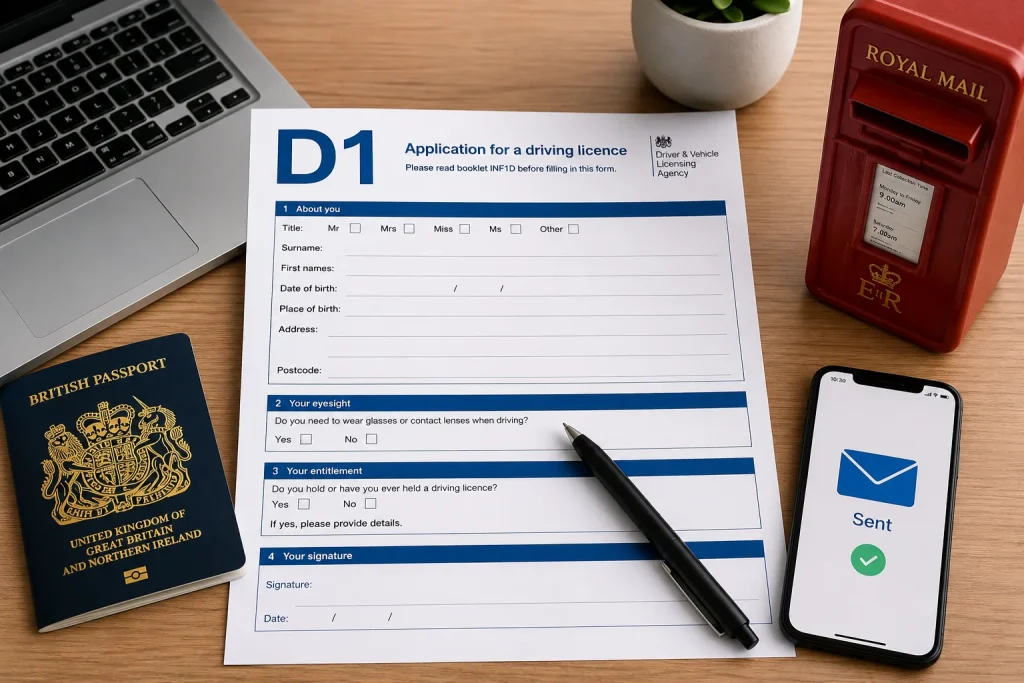
Full UK driving licence application online
There’s a moment right after passing your practical test where the relief takes over and the paperwork side of things feels like an afterthought. Good news: in most cases, it genuinely is. The DVLA automatically upgrades your provisional record to a full licence once your pass is registered electronically, with no separate application needed at all.
But not everyone’s situation is that simple some people need to apply manually, some are new UK residents converting from a different process, and some just want to understand exactly what’s happening behind the scenes. This guide walks through the full UK driving licence application online, step by step, using the current official GOV.UK process, so you know exactly what to prepare, what to expect, and what to do if something doesn’t go smoothly.
Who Can Use the Online Service, and Why It’s Usually Fastest
The online route through GOV.UK is available to most applicants with a valid UK passport and a UK address, and it’s consistently the fastest and cheapest option typically several pounds cheaper than applying by post, since postal applications require manual document handling by DVLA staff. If you’re exchanging a foreign licence, that specific process currently still requires a postal application using the D1 form, which we’ll flag clearly where relevant below.
Phase 1: What to Gather Before You Start
Having everything ready before you open the GOV.UK portal makes the whole process faster and avoids the most common cause of delay: submitting an incomplete or inconsistent application.
Identity
- A valid UK passport this is by far the smoothest route, since it allows automatic digital verification
- If you don’t hold a valid passport, alternative accepted identity documents (check the current list on GOV.UK, as this varies depending on the specific application type)
- Your legal name exactly as it appears on your official documents any mismatch here is one of the single biggest causes of delay
Personal Information
- Date of birth
- Current home address
- Address history, where the application asks for it
- National Insurance number, if you have one and know it
- A contact email address you check regularly
- A mobile phone number
Driving Information
- Your provisional licence details, if you’re upgrading from provisional to full
- Confirmation of your practical test pass, including the date
- Your theory test details, where relevant to the specific application
Residency
- Confirmation that you’re normally resident in Great Britain
- For overseas or international applicants, any residency or immigration evidence specifically required for your situation check current GOV.UK guidance directly, since requirements here can vary by individual circumstance
Payment
- A debit or credit card, if an application fee applies to your specific situation
- Always confirm the current official fee on GOV.UK before starting, since fees are reviewed periodically
Technical Requirements
- A stable internet connection
- A modern, compatible web browser
- Access to your email inbox for confirmation messages
- The ability to complete identity verification if prompted, which may include passport scanning and facial recognition as part of the current DVLA process
Common Reasons Applications Are Delayed
- Incorrect personal details entered
- A name mismatch between the application and your passport
- An incorrect or incomplete address
- Missing identity information
- An incomplete application submitted before all sections were finished
- Failed identity verification, often due to poor lighting or image quality during passport scanning
Phase 2: The Step-by-Step Online Application
Step 1 – Check That You Are Eligible
Who Can Apply Online?
Most UK residents with a valid passport, applying for a first provisional licence, upgrading a provisional to full following a test pass, or renewing an existing licence, can use the online service.
Who Needs a Different Process?
If you’re exchanging a foreign or non-GB licence, or you don’t hold a valid passport and can’t complete online identity verification another way, you’ll currently need to apply by post using the appropriate paper form instead.
Step 2 – Gather Your Documents
As covered in Phase 1 above — have your identity documents, driving information, and payment details ready before you begin, rather than partway through the form.
Step 3 – Access the Official GOV.UK Service
Navigating to the Correct Page
Go directly to GOV.UK and search for the specific service you need (for example, “apply for your first provisional driving licence” or the relevant full licence service). GOV.UK addresses always end in .gov.uk this is worth double-checking every time.
Avoiding Unofficial Websites
A number of unofficial third-party sites rank in search results and charge extra fees for simply forwarding your application to the DVLA. Only the official GOV.UK domain should ever be used — never a site that charges an unusually high “service fee” on top of the standard government fee.
Step 4 Sign In or Verify Your Identity
Using GOV.UK One Login
The current sign-in method for DVLA online services is GOV.UK One Login. If you don’t already have an account, you can create one during the application process using your email address and a password, alongside two-factor authentication.
Identity Checks
Depending on your specific application, identity verification may involve scanning your passport using your smartphone camera and completing a facial recognition check, matching your live image against your passport photo.
Common Verification Problems
- Poor lighting causing the passport scan to fail
- Glare across the passport’s photo page
- A facial recognition mismatch, often resolved simply by retrying in better lighting
- An expired or damaged passport that can’t be verified digitally
Step 5 Complete the Online Application Form
Personal Information
Enter your name, date of birth, and contact details exactly as they appear on your identity document.
Address Details
Provide your current address and any address history requested, making sure postcodes are entered correctly.
Driving Licence Information
Enter your provisional licence number if applicable, along with test pass details where the application requires them.
Medical Declarations
Where relevant, declare any medical condition that could affect your fitness to drive this is a genuine legal requirement, not just a form-filling formality.
Reviewing Your Answers
Before submitting, review every section carefully. This is the single easiest opportunity to catch a typo or mismatched detail before it becomes a processing delay further down the line.
Step 6 – Pay the Application Fee (If Applicable)
Accepted Payment Methods
Online applications are typically paid by debit or credit card at the point of submission.
Current Official Fee
Fees vary depending on the specific application (a new provisional licence, a renewal, a replacement, and so on), and applying online is consistently cheaper than applying by post. Always check the exact current fee for your specific application on GOV.UK immediately before paying, since these are reviewed periodically.
Step 7 – Submit Your Application
Confirmation Screen
Once submitted, you should see an on-screen confirmation that your application has gone through successfully.
Confirmation Email
A confirmation email typically follows shortly after, which is worth keeping until your licence arrives.
Reference Number
Keep any application or reference number provided, since this can be useful if you need to contact the DVLA about your application later.
Phase 3: What Happens Next (Waiting Times & Tracking)
DVLA Processing
Once submitted, your application enters the DVLA’s processing queue, where your identity, documents, and details are checked before your licence is issued.
Identity Verification
If your online identity check couldn’t be completed automatically, the DVLA may need to carry out additional manual verification, which can extend processing time.
Receiving Your Photocard Licence
Once approved, your new or updated photocard licence is posted to your registered address, typically within a few weeks.
Typical Processing Times
Standard online applications with successful identity verification are generally the fastest route through the system. Applications requiring manual checks, additional documentation, or postal submission tend to take noticeably longer.
How to Track Your Application
It’s worth being direct about this: the DVLA does not currently offer a live, real-time online tracking service for driving licence applications, the way you might track a parcel delivery. If your licence hasn’t arrived within the expected timeframe, the most useful step is contacting the DVLA directly, rather than repeatedly checking for a status update that doesn’t exist. Contacting them significantly before the standard processing window has elapsed generally won’t speed things up and can add to their workload it’s worth giving the full expected window before chasing.
Common Problems and How to Solve Them
- Failed identity verification: retry the passport scan in better lighting, or contact DVLA if the problem persists.
- Incorrect address: contact the DVLA promptly to correct this rather than waiting to see if it resolves itself.
- Missing documents: if your application was rejected for missing information, check the rejection notice carefully and resubmit with everything required.
- Payment issues: confirm your card details and try again, or contact your bank if a payment repeatedly fails to process.
- Delayed processing: wait out the standard expected window first, since contacting DVLA early typically doesn’t speed things up.
- Lost confirmation email: check your spam folder first; if it’s genuinely missing, your reference number (if you noted it down) is the next best way to follow up.
A Note on the Two-Year Rule After Passing Your Practical Test
If, for whatever reason, your full licence isn’t automatically issued and you need to apply manually, it’s worth knowing that this should generally be done within two years of passing your practical test. Leaving it longer than that can mean needing to retake your practical test entirely, which is a genuinely costly mistake to make simply by letting the paperwork slip.
Frequently Asked Questions
Can I apply for a full UK driving licence online? In most cases, you don’t need to apply manually at all the DVLA automatically upgrades your provisional to a full licence after a practical test pass. Where a manual application is needed, GOV.UK’s online service is the fastest available route.
What documents do I need? Typically your provisional licence details, a valid passport for identity verification, your National Insurance number if known, and confirmation of your practical test pass. Requirements vary slightly depending on your specific situation.
Do I need a passport? A valid UK passport allows the smoothest, fully digital identity verification process. If you don’t hold one, alternative identity documents may be accepted depending on the specific application, though the process can take longer.
Do I need my National Insurance number? It’s not always strictly required, but providing it where requested can help speed up identity verification, since it allows the DVLA to cross-check your details more efficiently against other official records. apply for UK driving licence
How long does the online application take? Completing the form itself typically takes around 20 minutes. Overall processing, from submission to receiving your photocard licence, generally takes a few weeks, depending on identity verification and current DVLA processing volumes.
How much does the application cost? Fees vary by application type, and online applications are consistently cheaper than postal ones. Always check the exact current fee for your specific situation directly on GOV.UK before paying.
How long does it take to receive my photocard? Most applicants receive their new photocard within a few weeks of a successful application. If it hasn’t arrived after the standard expected window, contacting the DVLA directly is the most useful next step.
Can I correct mistakes after submitting my application? It depends on what needs correcting and how far your application has progressed. Contacting the DVLA promptly after spotting an error is generally the quickest way to resolve it before it causes a longer delay.
How do I check my application status? The DVLA does not currently provide a live online tracking service for driving licence applications. If your licence hasn’t arrived within the expected processing window, contacting the DVLA directly is the recommended next step.
What should I do if my application is delayed? Wait until the standard expected processing window has fully passed before contacting the DVLA, since reaching out too early generally doesn’t speed up processing. If it’s genuinely overdue, contact them directly with your reference number to hand.
Conclusion
For most drivers, the full UK driving licence application online process barely needs any active involvement — pass your practical test, and the DVLA handles the upgrade automatically in the background. Where a manual application genuinely is needed, having your identity documents, personal details, and payment ready before you start, and reviewing every section carefully before submitting, is what separates a smooth few-week wait from an avoidable delay. And if you’re ever unsure where your application stands, remember there’s no live tracker to refresh — patience through the standard processing window, followed by a direct call if needed, remains the most reliable approach.